How to Implement Digital Signage Solutions Effectively ?
In the modern communication landscape, digital signage solutions have transformed from simple display monitors into interactive engagement hubs. Businesses across retail, hospitality, and corporate sectors now rely on these systems to bridge the gap between digital content and physical spaces. Implementing these tools effectively requires more than just mounting a screen on a wall.
Success depends on a strategic alignment of hardware capabilities, software management, and audience psychology. A well-executed deployment can increase brand awareness and drive immediate consumer action. Conversely, a poorly planned setup may lead to wasted investment and technical obsolescence.
Understanding the technical nuances of your environment is the first step toward a high-return installation. Whether you are targeting a climate-controlled lobby or a harsh outdoor plaza, your approach must be data-driven. This guide outlines the essential steps to master the deployment of digital signage solutions for any professional environment.
Why Quality Hardware is the Foundation of Digital Signage Solutions?
The longevity of your visual communication system depends heavily on the initial hardware selection. Choosing digital signage solutions requires a deep dive into brightness levels, durability ratings, and thermal management. Professional displays are designed for 24/7 operation, unlike standard consumer televisions which fail under constant use.
Optimizing Performance with Indoor Displays
For controlled environments, selecting high-quality indoor digital signage ensures that your message remains crisp and professional. These units typically offer 4K resolution and high contrast ratios, which are essential for close-up viewing in retail or office lobbies. Research indicates that 60% of customers report digital displays catch their attention more effectively than static posters.
Engineering for Resilience in Outdoor Settings
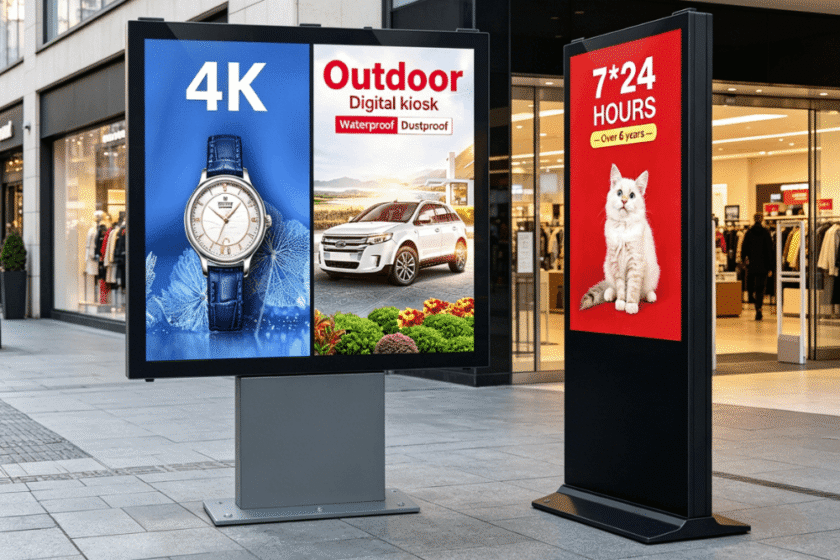
When moving outside, outdoor digital signage must feature high-brightness panels, often exceeding 2,500 nits, to remain visible under direct sunlight. These units require IP65 or higher ratings to protect internal components from dust, humidity, and heavy rain. Effective thermal management prevents overheating during peak summer temperatures, ensuring consistent performance in all climates.

How to Optimize Content Strategy for Digital Displays?
Content is the driving force behind every successful digital signage solutions deployment. Even the most expensive screen will fail to deliver results if the messaging is cluttered or irrelevant. You must create a content loop that balances promotional material with informative updates to keep the audience engaged and informed.
Applying the Three-Second Rule
Passersby typically glance at a screen for only a few seconds while moving through a space. Therefore, your core message must be bold, concise, and visually striking to leave a lasting impression. Data shows that 80% of customers have entered a store specifically because a digital sign caught their interest.
Enhancing Interaction with Dynamic Elements
Incorporating video or live data feeds can enhance audience dwell time by up to 30%. Including a clear Call to Action (CTA) can further improve conversion rates by nearly 33%. Strategic content updates ensure that the information remains fresh and relevant to the specific time of day.
What Environmental Factors Affect Digital Signage Performance?
Evaluating the installation site is crucial for the long-term reliability of your digital signage solutions. Temperature fluctuations can significantly impact the lifespan of the LED or LCD panels over several years. Indoor units need proper ventilation, while outdoor units require integrated heating and cooling systems to survive seasonal extremes.
Managing Ambient Light and Visibility
Ambient lighting conditions dictate the necessary brightness specifications for your hardware to prevent screen washout. If a screen faces a window, it must have anti-reflective coatings to prevent glare from obscuring the message. Failing to account for light can render an expensive display completely unreadable during peak daylight hours.
| Feature | Indoor Signage | Outdoor Signage |
| Brightness | 350 – 700 nits | 2,000 – 5,000+ nits |
| Protection | Standard housing | IP65/IP66 Waterproof |
| Cooling | Silent internal fans | Intelligent air/AC cooling |
Ensuring Stable Network Connectivity
Reliable digital signage solutions require stable internet access for remote content updates and system monitoring. Whether using Wi-Fi, Ethernet, or 4G/5G modules, the signal must be consistent to avoid “black screens” or outdated information. Consistent connectivity allows for real-time adjustments and rapid troubleshooting of the display network.
How to Select the Right Digital Signage for Your Space?
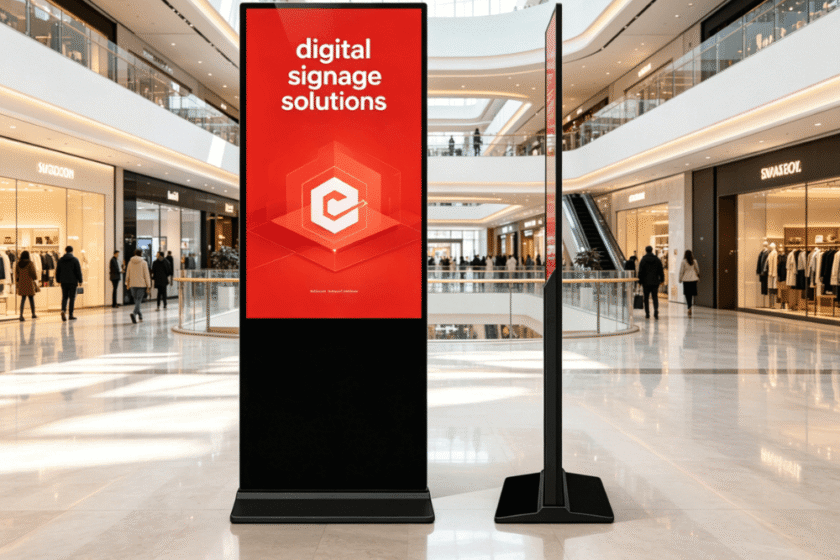
Selecting the ideal display involves evaluating the specific needs of your physical environment and audience behavior. If your goal is to provide information in a controlled setting, such as a shopping mall or corporate office, indoor digital signage is usually the most cost-effective choice. These units offer high-definition clarity and touch-screen options for interactive wayfinding or product catalogs.
On the other hand, if you need to attract foot traffic from a distance or operate in public transit hubs, outdoor digital signage is necessary. You should look for models with vandal-proof glass and specialized thermal management systems. The ability to withstand extreme temperatures ensures that your investment continues to work regardless of the local weather conditions.
Ultimately, the best digital signage solutions are those that match the viewing distance and intent of the customer. A large-format screen might work for an outdoor billboard, while a slim floor-standing kiosk is better for a retail entrance. Assessing these physical constraints helps you choose a product that maximizes visibility and user interaction effectively.
Summary
Effectively implementing digital signage solutions requires a strategic mix of high-performance hardware and targeted content. By prioritizing visibility, durability, and audience engagement data, businesses can significantly boost brand awareness. Always match the technical specifications of your chosen display to the specific environmental challenges of your installation site.
FAQ
1. How do I choose between indoor and outdoor digital signage?
The choice depends entirely on the installation environment and exposure to elements. Indoor units are optimized for high-resolution close viewing in climate-controlled spaces. Outdoor units feature weatherproofing and high brightness to maintain visibility in direct sunlight.
2. What is the average lifespan of professional digital signage?
Professional-grade digital signage solutions typically last between 50,000 to 100,000 hours of continuous operation. This far exceeds the lifespan of consumer-grade displays which are not built for constant 24/7 usage.
3. Does digital signage really improve sales?
Yes, statistics show that digital displays can increase total sales volume by roughly 31.8%. By capturing attention and providing real-time promotions, these displays directly influence point-of-purchase decisions.
4. What maintenance is required for outdoor digital signs?
Outdoor units require periodic checks of the cooling filters and seals to ensure protection remains intact. Remote monitoring software is often used to track the health of the hardware and detect issues before they cause downtime.
Reference Sources
Digital Signage Federation (DSF): Industry standards for digital display communications.
Samsung Business Insights: Data on digital signage impact and consumer behavior trends.
Grand View Research: Market analysis and growth statistics for the digital signage industry.