What is an Intelligent Touch Screen Inquiry Machine?
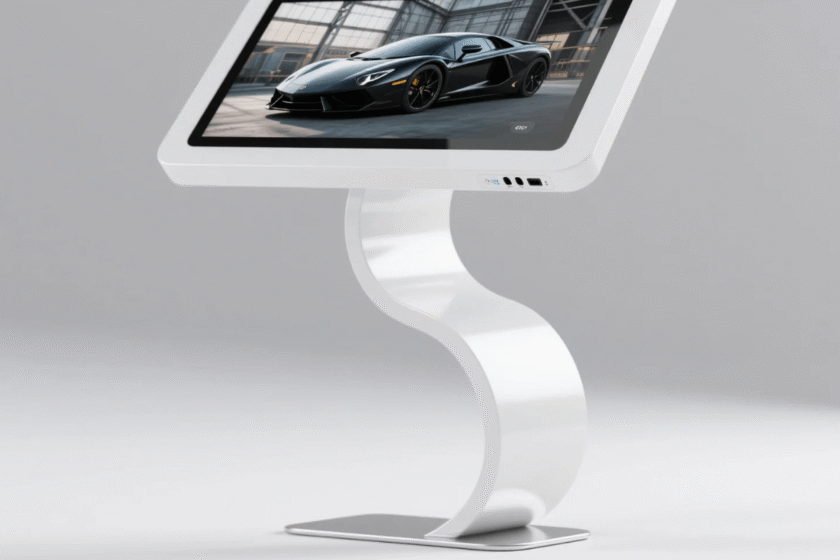
An intelligent touch screen inquiry machine is an integrated interactive hardware device designed for information retrieval and digital signage. It combines a high-definition display panel, a sensitive touch sensor, and a high-performance computer processor into one chassis. Its primary purpose is to allow users to access specific information through direct physical interaction with the screen.
In modern commercial and public environments, the intelligent touch screen inquiry machine replaces traditional paper brochures and human receptionists. It provides 24/7 service, ensuring that information is always accessible to the public. By using advanced software interfaces, these machines can provide floor maps, product catalogs, service queues, and multimedia advertisements.
The “intelligent” aspect refers to its ability to connect to the internet for real-time data updates. It can also integrate peripherals like thermal printers, QR code scanners, and cameras. Consequently, an intelligent touch screen inquiry machine is a versatile tool for digital transformation in various sectors.
Core Hardware and Technical Components
The internal architecture of an intelligent touch screen inquiry machine determines its reliability and speed. These devices are built using industrial-grade components to withstand constant public use. Understanding these parts helps in identifying the quality of a specific terminal.
The Display and Touch Panel Technology
Most high-end machines utilize a 1080p or 4K resolution liquid crystal display (LCD) or light-emitting diode (LED) panel. The touch technology is usually either Infrared (IR) or Projected Capacitive (PCAP). Capacitive touch technology provides a smoother, smartphone-like experience with 10-point multi-touch support. Infrared touch is often used for larger screens due to its lower cost and high durability in harsh environments.
The Processing Unit and Operating Systems
The “brain” of the intelligent touch screen inquiry machine typically runs on Android or Windows platforms. Android versions (like 7.1 or 11.0) are popular for dedicated inquiry apps and digital signage due to their stability. Windows-based machines (Intel i3, i5, or i7) are preferred when complex databases or legacy enterprise software must be integrated. A high-performance processor ensures a response time of less than 5 milliseconds for a seamless user experience.
Primary Functions in Commercial and Public Spaces
The versatility of the intelligent touch screen inquiry machine allows it to perform multiple roles. Depending on the software installed, a single machine can serve as a navigator, an advertiser, or a transactional kiosk. This flexibility is why businesses across all industries are adopting these interactive terminals.
Interactive Information Retrieval
The most basic function is the inquiry service. Users can search for specific topics, browse department lists, or check the status of a service. For example, in a library, a user can check book availability instantly. Information inquiry machines significantly reduce the workload on staff by handling routine questions automatically.
Wayfinding and Indoor Navigation
In large environments like shopping malls or hospitals, an intelligent touch screen inquiry machine serves as a digital map. It offers 3D floor plans and step-by-step routing for visitors. This reduces visitor frustration and improves the flow of traffic within the building. Advanced systems can even send the map to a user’s smartphone via a QR code.
Digital Advertising and Brand Promotion
When the machine is not being actively used for inquiries, it functions as a digital signage player. It can display high-definition videos, scrolling text, and promotional images. The dual-purpose nature of an intelligent touch screen inquiry machine maximizes the return on investment for business owners. It captures attention through motion and maintains engagement through interactivity.
Key Benefits of Implementing Intelligent Inquiry Machines
Deploying these machines offers measurable advantages for both the service provider and the end user. From data collection to cost savings, the impact of digital kiosks is profound in the modern age.
Reduced Labor Costs: One machine can handle hundreds of inquiries that would otherwise require multiple full-time employees.
Increased Efficiency: Digital systems provide answers in seconds, reducing wait times and preventing queues at reception desks.
Data Collection and Analytics: The software tracks what users are searching for, providing valuable insights into consumer behavior.
24/7 Availability: Unlike human staff, the intelligent touch screen inquiry machine operates without breaks or holidays.
Enhanced Branding: Sleek, modern hardware designs improve the professional appearance of a lobby or store.
Real-time Content Management: Information can be updated remotely across multiple machines via a central Cloud Management System (CMS).
Factors to Consider When Selecting an Inquiry Machine
Choosing the right intelligent touch screen inquiry machine depends on your specific environment and goals. Not all machines are created equal, and technical specifications must match the intended use case.
Screen Size and Physical Design
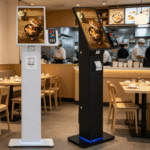
Common sizes range from 32 inches to 65 inches. Vertical or “kiosk” style machines are excellent for foyers, while wall-mounted versions save space in narrow corridors. Industrial-grade cold-rolled steel shells are necessary for durability in high-traffic areas. High-brightness screens (over 350 nits) are also essential if the machine is located near windows or bright indoor lighting.
Software Compatibility and CMS Features
The machine is only as good as the software it runs. Ensure the hardware supports a Content Management System (CMS) that allows for split-screen displays and scheduled content updates. Choosing a machine with an open-source Android or standard Windows OS ensures long-term software compatibility. This allows you to install third-party applications as your business needs evolve.
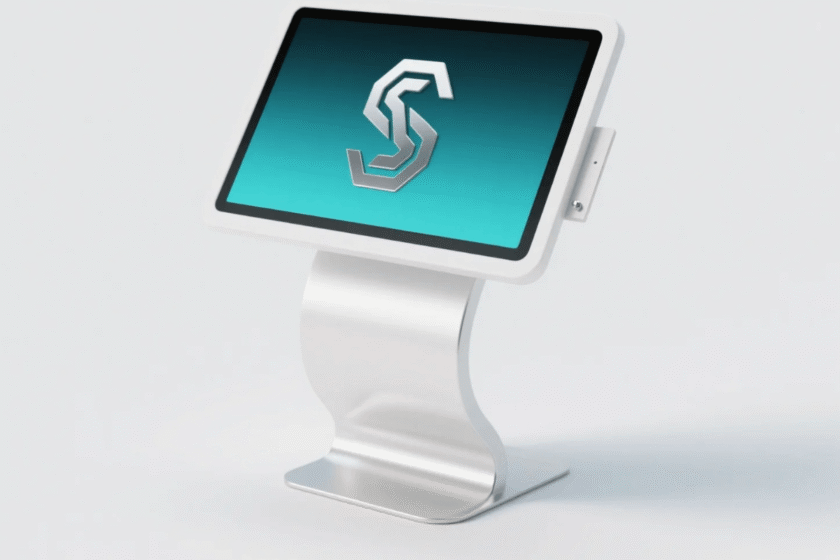
If you are looking for a professional-grade solution, the Intelligent Touch Screen Advertising Inquiry All-in-One Machine is a prime example of modern integration. It offers a vertical floor-standing design that combines aesthetic appeal with robust industrial functionality. This model supports both Android and Windows systems, catering to diverse software requirements. Judging a machine based on its heat dissipation design and screen responsiveness is the best way to ensure long-term stability.
Maintenance and Long-term Reliability
Maintaining an intelligent touch screen inquiry machine is relatively simple but essential for longevity. The tempered glass screen should be cleaned with non-abrasive materials to maintain touch sensitivity. Hardware components like cooling fans should be checked annually to prevent overheating. A lifespan of over 50,000 hours is standard for high-quality inquiry terminals.
Software updates are also crucial for security and performance. Regularly updating the OS and the inquiry application prevents crashes and protects user data. Most intelligent systems offer remote diagnostic tools to identify hardware issues before they cause downtime. Proactive maintenance ensures that the intelligent touch screen inquiry machine remains a reliable asset for years.
Summary
An intelligent touch screen inquiry machine is a powerful all-in-one interactive terminal that enhances information accessibility. By integrating high-definition displays with sensitive touch sensors and smart software, it improves efficiency in commercial and public spaces. Whether used for mall navigation, government inquiries, or advertising, it provides a superior user experience while reducing operational costs. Selecting the right hardware specifications and software platform is the key to a successful deployment.
FAQ
1. What are the common sizes for an intelligent touch screen inquiry machine?
The most popular sizes for floor-standing kiosks are 43-inch, 49-inch, and 55-inch models. These sizes provide a large enough surface for comfortable interaction while fitting easily into standard lobbies. Smaller 32-inch or 21-inch versions are often used for desktop or wall-mounted applications.
2. Can these machines work outdoors?
Standard inquiry machines are designed for indoor use. However, specialized outdoor versions are available. These feature waterproof IP65 enclosures, high-brightness screens (1500+ nits), and active cooling systems to handle direct sunlight and rain.
3. Does an intelligent touch screen inquiry machine need an internet connection?
While the machine can run local software and play pre-loaded media offline, an internet connection is recommended. Connectivity allows for remote content management, real-time data updates (like weather or news), and remote technical support.
4. How many touch points do these machines support?
Modern capacitive inquiry machines typically support 10-point multi-touch. This allows for gestures like pinching to zoom on maps or multiple users interacting with different parts of the screen simultaneously.
5. What is the difference between Android and Windows inquiry machines?
Android machines are generally more cost-effective and energy-efficient, making them ideal for advertising and simple apps. Windows machines offer more computing power and are better for running desktop-class software or complex enterprise databases.
Reference Sources
Comprehensive Industry Standards and Trends for Digital Kiosks
Technical Standards for Touch Screen Interfaces and Human-Machine Interaction
ISO 9241: Ergonomics of Human-System Interaction