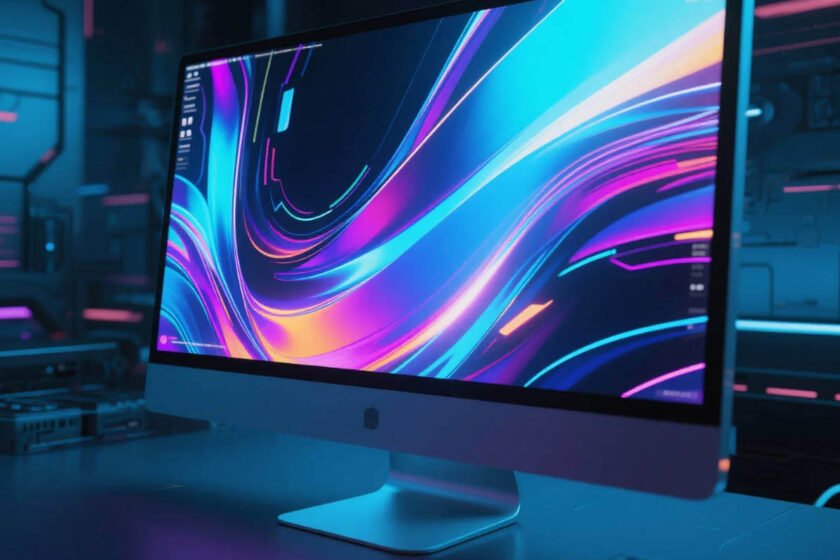
How to Choose the Best LCD Computer Display
Modern workspaces and commercial environments rely heavily on visual clarity to maintain high productivity and effective communication. When you are looking for a new lcd computer display, the sheer variety of technical specifications can often feel overwhelming to navigate. From standard office monitors to high-brightness retail panels, each device serves a specific clinical or commercial purpose. I have spent years evaluating how different panel technologies impact user experience and brand visibility in various lighting conditions. Choosing the right screen is not just about size; it is about ensuring the output matches your specific environment. A well-selected display can reduce eye strain, improve work efficiency, and capture the attention of potential customers instantly. This guide will walk you through the essential factors that define a superior liquid crystal experience.
Understanding Resolution and Panel Technology
The foundation of any high-quality lcd computer display is its native resolution and the underlying panel technology used for light modulation. For standard office tasks, a 4K resolution provides significant screen real estate, allowing you to view multiple documents simultaneously without toggling windows. Most modern displays utilize In-Plane Switching (IPS) technology to ensure wide viewing angles and consistent color reproduction across the entire surface. This is particularly important for creative professionals who require absolute color accuracy for photo and video editing. Consequently, investing in a panel with high pixel density prevents the “pixelation” effect that often plagues cheaper, lower-resolution alternatives.
Transitioning to more specialized needs, Vertical Alignment (VA) panels offer higher contrast ratios, which are ideal for deep blacks and vibrant graphics. While IPS is the gold standard for color work, VA technology excels in environments where visual depth and contrast are the primary requirements. You should also consider the refresh rate of the panel, measured in Hertz (Hz), to ensure smooth motion during video playback. A standard 60Hz display is sufficient for most office work, but higher rates provide a more fluid experience for dynamic content. Understanding these technical baselines helps you filter through the noise to find a screen that truly supports your daily workflow.

The Importance of Brightness and Anti-Glare Features
One of the most overlooked aspects of choosing an lcd computer display is the maximum brightness level, measured in nits or candelas per square meter. Standard desktop monitors typically offer 250 to 350 nits, which is perfectly adequate for climate-controlled indoor offices with moderate lighting. However, if your workspace is near a large window or under bright fluorescent lights, you may experience significant screen glare. To combat this, many professional-grade displays incorporate matte anti-reflective coatings that scatter incoming light rather than reflecting it. This technology can reduce distracting reflections by up to 80% in high-glare situations, significantly improving visual comfort.
Furthermore, for commercial applications where a screen faces direct sunlight, specialized high-brightness panels are a mandatory requirement for legibility. These devices often reach 1,500 to 2,500 nits, ensuring that content remains vivid even when the sun is at its peak. Without this high-intensity output, a standard screen will appear “washed out” or completely black to passersby in an outdoor or window setting. High-brightness technology also includes advanced thermal management to prevent the liquid crystals from “yellowing” under constant heat exposure. Reliability in extreme lighting conditions is what separates a professional tool from a consumer-grade toy.
Durability and Continuous Operation Capabilities
Industrial and commercial environments demand a higher level of durability than the typical home office setup can provide. A commercial-grade lcd computer display is designed for 24/7 or 16/7 continuous operation without suffering from “image ghosting” or pixel degradation. These units utilize heavy-duty power supplies and cooling fans that are rated for tens of thousands of hours of uninterrupted service. Moreover, the internal components are often protected by a rugged metal chassis and tempered glass to resist physical impacts. Choosing hardware with a high Mean Time Between Failures (MTBF) ensures that your investment continues to perform for years.
In high-traffic areas, the physical protection of the screen becomes just as important as the electronic performance of the panel. Many industrial displays feature an Ingress Protection (IP) rating that indicates their resistance to dust and moisture infiltration. For example, an IP65-rated screen can withstand low-pressure water jets, making it suitable for semi-outdoor or harsh industrial environments. These protective measures prevent short circuits caused by humidity or fine particles common in manufacturing or retail zones. Investing in a robustly built unit reduces the frequency of maintenance and lowers the total cost of ownership. Durability should be a top priority for any business looking to install permanent visual infrastructure.
Optimizing High-Visibility Solutions for Retail
For businesses that need to communicate messages effectively in bright environments, choosing specialized hardware is the only way to ensure success. Standard monitors often fail when placed in storefront windows because they lack the necessary luminance to pierce through glass reflections. Our high-brightness solutions are engineered to solve this exact problem, providing commercial-grade performance in a sleek, wall-mounted form factor. These displays are built to stay bright and clear even in direct sunlight, making them the ultimate choice for retail storefronts. We focus on providing technology that remains visible from across the street, regardless of the time of day.
Our team is dedicated to helping you select the best visual tools for your specific business goals and environmental challenges. We provide a range of displays that feature advanced thermal control and energy-efficient backlighting to keep operational costs low. Each unit is tested for long-term reliability in high-heat window installations where standard consumer screens would likely fail within months. By selecting our professional-grade hardware, you ensure that your digital signage remains a powerful marketing asset. Explore our specialized window-facing options and technical specifications by visiting our high brightness LCD display product page for more information.

Summary of Selecting an LCD Display
Choosing the best lcd computer display involves balancing high resolution with sufficient brightness and commercial-grade durability to match your environment. By prioritizing features like anti-glare coatings, IPS panel technology, and 24/7 operational ratings, you can ensure a reliable, high-clarity visual experience that maximizes productivity and maintains effective communication in any lighting.
FAQ
1. What is the difference between a nit and a lumen? Nits measure the brightness emitted from a screen surface (luminance), while lumens measure the total light output from a source like a bulb or projector. For displays, nits are the standard metric.
2. Is a 4K resolution necessary for a 24-inch office display? While 4K offers incredible detail, it can make text very small on a 24-inch screen. Many users find that 1080p or 1440p is sufficient for smaller sizes, while 4K shines on 27-inch and larger monitors.
3. Why do some LCD screens turn yellow over time? This is often caused by heat degradation of the backlight or the liquid crystal alignment layer. Commercial-grade high-brightness displays use UV-resistant materials and better cooling to prevent this “yellowing” effect.
4. Can I use a regular TV as a computer display? Yes, but it may lack the pixel density (PPI) for sharp text at close range. TVs also often have higher input lag and lack the ergonomic adjustments found in dedicated computer monitors.
5. How long does a typical commercial LCD display last? Most commercial-grade panels are rated for 50,000 to 70,000 hours of use. If run for 10 hours a day, this equates to roughly 13 to 19 years of reliable operation.
Official Data and Reference Sources:
Occupational Safety and Health Administration (OSHA) – Computer Workstation eTool
International Commission on Illumination (CIE) – Lighting for Work PlacesEnergy Star – Product Specifications for Displays