Is the Interactive Touch Table Education is Next Frontier?
The traditional classroom model is undergoing a profound transformation, driven by the need for more engaging, collaborative, and personalized learning experiences. Passive reception of information is giving way to active exploration and hands-on discovery. Among the technological tools driving this shift, the interactive touch table education solution stands out as a powerful catalyst for change. Moving beyond static whiteboards and individual tablets, these large-format, multi-user displays provide a shared digital workspace where students can simultaneously manipulate content, solve problems, and collaborate on complex projects. For educational institutions, library media centers, and ed-tech providers, understanding the pedagogical benefits and practical applications of the interactive touch table education technology is crucial for designing future-ready learning environments that enhance student outcomes and foster 21st-century skills. This article delves into how these dynamic display systems are redefining interaction and learning in modern educational settings.
Enhancing Collaborative Learning and Engagement
The core value proposition of the interactive touch table education technology lies in its ability to facilitate simultaneous multi-user interaction, turning learning into a shared, dynamic experience.
Fostering Simultaneous Multi-User Interaction
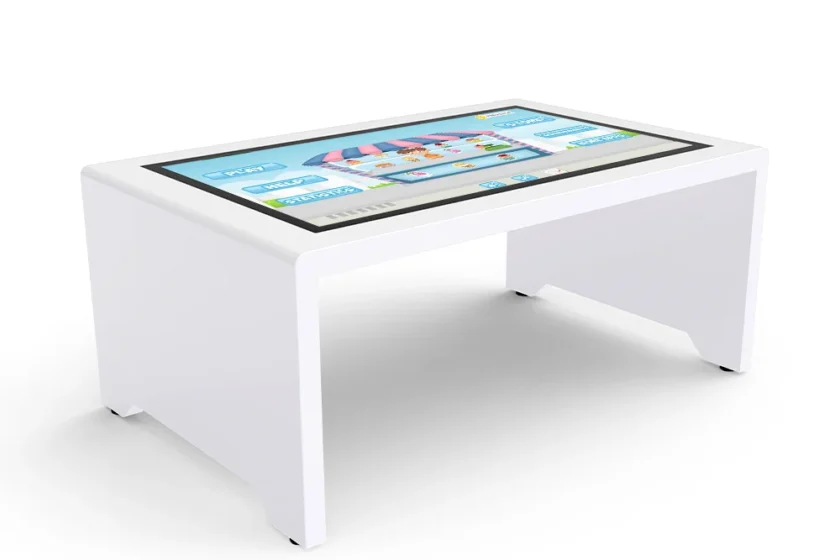
Unlike standard tablets or single-user displays, an interactive touch table education setup is designed to accommodate multiple students working together at the same time, often around the same piece of digital content. With advanced multi-touch capabilities, several users can manipulate images, draw diagrams, solve puzzles, or participate in simulations simultaneously. This functionality moves collaboration beyond merely talking about a problem to actively working on it together, promoting shared problem-solving and immediate peer-to-peer learning. Consequently, students develop crucial interpersonal and teamwork skills that are highly valued in the modern workforce.
Boosting Engagement Through Gamification and Discovery
The large, horizontal display format inherently makes learning feel more accessible and game-like, significantly increasing student engagement. Content designed for the interactive touch table education system is often visual, tactile, and immediately responsive, which appeals to diverse learning styles, especially kinesthetic learners. Whether they are virtually dissecting a frog, exploring a 3D model of the solar system, or collaboratively mapping historical events, the hands-on nature of the technology transforms abstract or complex topics into tangible, fun challenges. This increased motivation helps to improve retention rates and fosters a positive attitude towards subjects previously considered difficult.

Versatility Across Curricula and Learning Environments
The flexibility of the interactive touch table education solution ensures its relevance across multiple subjects and academic settings, from primary schools to university labs.
Application in STEM and Complex Visualization
The impact of the interactive touch table education system is particularly profound in Science, Technology, Engineering, and Mathematics (STEM) fields. The display can render complex data sets, intricate anatomical models, or engineering schematics in stunning detail, allowing students to zoom, rotate, and annotate them as a group. For instance, in an engineering class, a design can be simultaneously reviewed by five team members, who can suggest modifications directly on the table. This level of collaborative visualization is unparalleled by traditional methods and directly prepares students for the kind of collaborative design and analysis they will encounter professionally.
Transforming Library and Museum Media Centers
Beyond the classroom, the interactive touch table education system serves as an invaluable public resource in libraries, university study centers, and museum exhibits. In a library, it can function as a digital archive, allowing patrons to explore historical documents or high-resolution maps interactively. In museum settings, the table can replace static placards with dynamic, multilingual exhibits that encourage group exploration and discussion, transforming the public learning experience into a hands-on, memorable interaction. Its robust design is well-suited for high-traffic public areas, maximizing access to information.
Technical Considerations and Implementation Strategy
For institutions looking to invest in this technology, understanding the technical requirements and strategic implementation is key to maximizing its pedagogical return.
Hardware Requirements and Durability
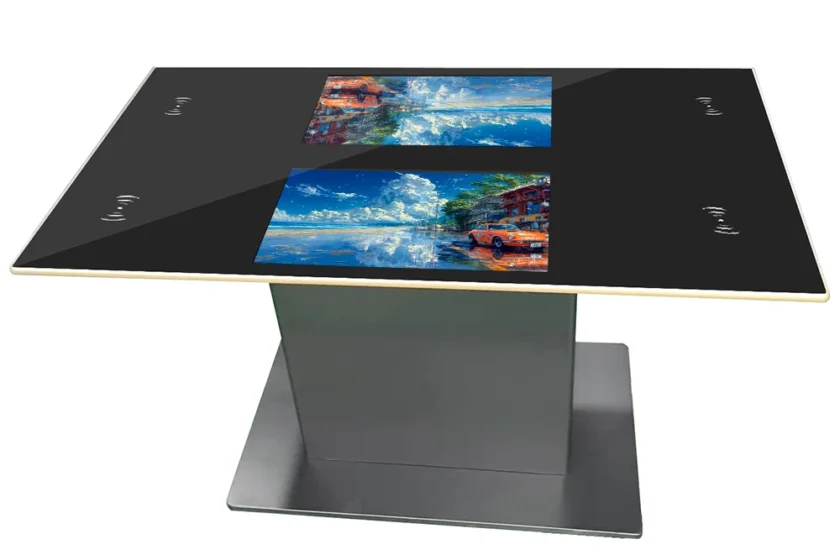
The modern interactive touch table education unit requires robust hardware capable of withstanding constant, simultaneous use. Key technical features include high-resolution display quality, responsive multi-touch sensitivity (often supporting 10 or more simultaneous touch points), and a rugged, spill-resistant surface designed for classroom environments. Furthermore, a high-performance integrated computer system is needed to run demanding educational software and manage multiple simultaneous tasks without lag. Choosing durable, commercial-grade hardware ensures long-term reliability and safeguards the investment.
Content Development and Customization
The success of the interactive touch table education technology ultimately depends on the quality and relevance of the software content. While many commercial educational applications are available, institutions often gain the most value from customizing or developing content specifically tailored to their unique curriculum needs. Platforms should be chosen that allow for easy content creation, management, and sharing, ensuring that teachers can rapidly adapt the technology to evolving learning objectives. This flexibility ensures the touch table remains a dynamic, rather than static, teaching tool.
Conclusion
The interactive touch table education system is demonstrably more than a flashy gadget; it is a powerful pedagogical tool that fundamentally supports a transition towards collaborative, student-centered learning. By facilitating simultaneous multi-user interaction and making complex subjects tactile and engaging, it accelerates skill development, particularly in critical STEM areas. For any educational institution or public learning center seeking to significantly enhance student engagement, improve teamwork skills, and provide a truly immersive, 21st-century learning environment, the strategic integration of the interactive touch table education technology represents a critical investment in the future of teaching and learning.
FAQ
Q1: How does the interactive touch table education tool support different learning styles?
The interactive touch table education tool supports diverse learning styles by offering a multi-sensory experience. Visual learners benefit from the high-resolution graphics and visualizations; auditory learners benefit from the group discussions and collaborative talking that the table facilitates; and kinesthetic learners benefit most from the hands-on, tactile manipulation of digital content using their fingers.
Q2: Can the interactive touch table education content be customized by teachers?
Yes, one of the major strengths of a good interactive touch table education system is the ability for teachers to customize content. Many systems utilize open or flexible operating systems that support various educational applications, allowing teachers to create, modify, and upload lessons, quizzes, and simulations that are precisely aligned with their specific curriculum goals and student needs.
Q3: What kind of maintenance is required for an interactive touch table education unit?
Maintenance for an interactive touch table education unit is generally minimal, focused mainly on keeping the screen clean and ensuring the software is updated. Since the unit often sits horizontally and is exposed to spills, choosing models with durable, sealed, and scratch-resistant surfaces is recommended. Routine checks of the internal computer system and network connection are also advised to ensure seamless operation.