Can interactive ordering terminals reduce labor costs?
Implementing an interactive ordering terminal is one of the most effective strategies for modern restaurants to reduce labor costs significantly. By shifting the task of order entry from employees to customers, businesses can operate efficiently with fewer front-of-house staff. Data from industry studies suggests that self-service kiosks can reduce the need for counter personnel by up to 30% during peak hours. These terminals handle the repetitive aspects of service, such as menu browsing, payment processing, and receipt printing. Consequently, management can reallocate labor to food preparation or customer service quality. Beyond simple cost-cutting, these devices minimize human error and ensure every guest is prompted with upselling options, which naturally increases the average transaction value.
How the Interactive Ordering Terminal Transforms Restaurant Economics
The primary way an interactive ordering terminal impacts your bottom line is through the automation of the transaction cycle. In a traditional setup, a cashier must spend minutes greeting a customer, explaining the menu, and entering data. With a self-service solution, the customer performs these actions independently. This transition allows a single staff member to oversee multiple terminals rather than serving one person at a time.
Direct Reduction in Hourly Labor Requirements
By deploying self-ordering kiosks, restaurants can often reduce their front-of-house headcount by 1 to 2 staff members per shift. For a business operating 12 hours a day, this can translate to a saving of over $30,000 to $50,000 annually per location, depending on local wage standards. The terminal never calls in sick, requires no benefits, and maintains consistent performance during high-traffic periods.
Increased Throughput and Revenue Generation
Labor efficiency isn’t just about spending less; it is about making more with the resources you have. Interactive ordering terminals process orders faster than human counterparts because the interface is optimized for speed. Statistics indicate that self-service kiosks can increase average check sizes by 15% to 20% through consistent, automated upselling prompts that staff might forget during a rush.
The Role of Hardware Integration in Cost Management
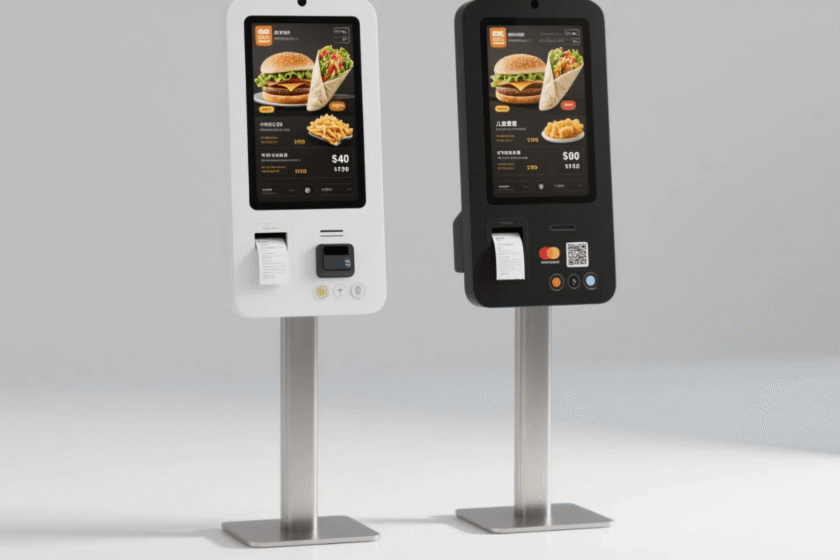
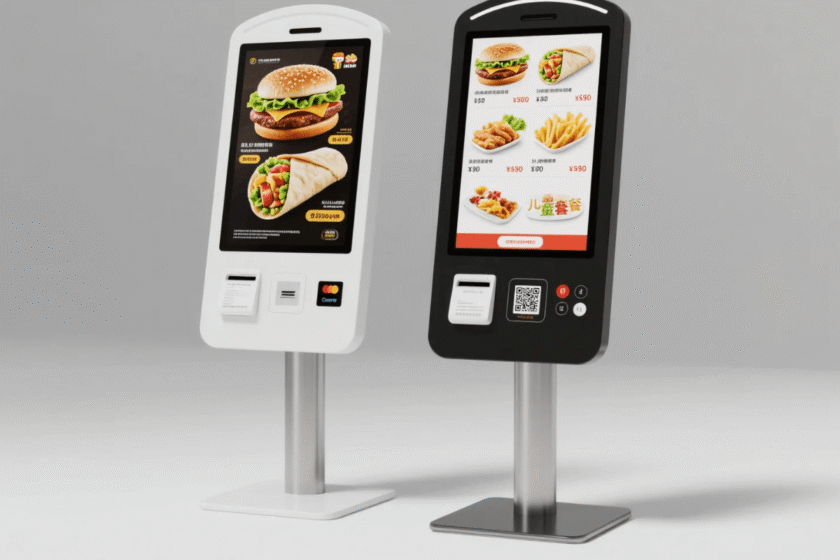
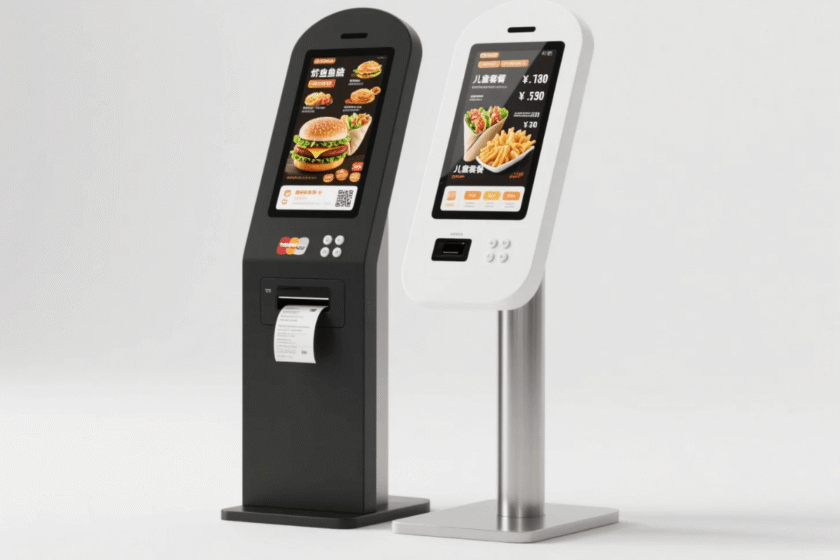
To truly reduce labor costs, the hardware must be a “turnkey” solution that handles the entire customer journey. A high-quality interactive ordering terminal typically integrates several components into one floor-standing unit. This eliminates the need for separate stations for ordering, paying, and picking up receipts, further streamlining the physical layout of the restaurant.
All-in-One Component Efficiency
Modern terminals feature built-in QR scanners, thermal printers, and POS brackets. This integration means that once an order is placed, it is instantly transmitted to the kitchen display system (KDS). This eliminates the “walking time” for servers carrying paper tickets, allowing the kitchen to start cooking immediately and reducing the total table turnover time.
Minimizing Costly Order Errors
Human error in order entry is a hidden labor drain. When a kitchen makes the wrong dish due to a miscommunication, it costs the business in wasted ingredients and the labor required to remake the meal. An interactive ordering terminal puts the responsibility of accuracy on the customer. Since the customer selects exactly what they want, order accuracy rates typically climb toward 99%, saving significant back-of-house resources.
Why Scalability Drives Long-Term Savings
For multi-location franchises, the interactive ordering terminal provides a standardized service level that is difficult to achieve with a revolving door of new hires. Training new employees is expensive and time-consuming. In contrast, updating a digital menu across twenty kiosks takes seconds. This scalability ensures that as your business grows, your labor expenses do not have to grow at the same linear rate.
Streamlined Training and Onboarding
When the terminal handles the bulk of the technical “order-taking,” new employees can focus on brand-specific hospitality or specialized food prep. This reduces the onboarding time for new staff by as much as 40%, as they no longer need to memorize complex POS codes or every single menu modification.
Data-Driven Labor Scheduling
Most interactive terminals provide detailed analytics on peak ordering times. By reviewing this data, managers can create optimized labor schedules. Instead of guessing when the lunch rush starts, you can use hard data to ensure you only have the necessary amount of staff on the floor, avoiding “dead time” where employees are paid to wait for customers.
Selecting the Right Terminal for Your Workflow
When deciding how to implement this technology, the physical configuration of the device is critical. A dual-screen floor-standing model is often the best choice for high-traffic environments. These units provide a dedicated interface for the customer while offering a secondary screen that can be used for digital signage or order status updates.
When evaluating a terminal like theDual-Screen Floor-Standing Self-Ordering Terminal, consider the following criteria:
Scanner Integration: Does it support mobile payments and loyalty QR codes natively?
Printer Reliability: Is the built-in thermal printer easy to maintain for non-technical staff?
Ergonomics: Is the POS bracket positioned at an accessible height for all guests?
Durability: Can the touchscreen withstand constant use in a commercial kitchen environment?
Choosing a model with a POS bracket is particularly important for labor efficiency. It allows you to use your existing payment processor, avoiding the need to manually reconcile different financial systems at the end of every night.
Summary
The interactive ordering terminal directly reduces labor costs by automating order entry, increasing accuracy, and allowing for leaner staffing models. By integrating payments and printing into a single kiosk, restaurants can save thousands in annual wages while simultaneously increasing their average transaction value through automated upselling.
FAQ
1. Does a self-ordering terminal replace the need for all waitstaff?
No, it does not eliminate the need for staff but changes their roles. It removes the administrative burden of taking orders, allowing your team to focus on food quality and direct customer engagement.
2. How long does it take to see a return on investment (ROI)?
Most restaurants report that an interactive ordering terminal pays for itself within 6 to 10 months through a combination of reduced labor hours and increased upselling revenue.
3. Can customers use cash with these terminals?
While most floor-standing models are designed for card and mobile payments via a POS bracket and QR scanner, they can be configured to print a “pay at counter” slip for customers who prefer to use cash.
4. Is the interface difficult for older customers to use?
Modern interfaces are designed with intuitive UX principles. Large icons, clear text, and step-by-step prompts make the interactive ordering terminal accessible to almost all age groups, often proving faster than waiting in a traditional line.
Reference Sources
National Restaurant Association – State of the Restaurant Industry Report
Toast, Inc. – Restaurant Technology Report and Labor Statistics