The Business Benefits of Self-Service Ordering Kiosks
The modern dining landscape is shifting rapidly toward digital integration. A self-service ordering kiosk offers a seamless bridge between customer convenience and operational efficiency. These interactive terminals allow guests to browse menus and place orders without staff intervention. By automating the front-of-house process, businesses can focus more on food quality and service speed.
Implementing a self-service ordering kiosk strategy often leads to immediate improvements in workflow. Customers appreciate the autonomy to customize their meals at their own pace. Meanwhile, staff members can be redeployed to more complex tasks like meal preparation or guest relations. This technology is no longer a luxury but a vital tool for competitive food service businesses.
Why Do Businesses Invest in a Self-Service Ordering Kiosk?
The primary motivation for adopting a self-service ordering kiosk is the measurable increase in average transaction value. Digital interfaces are programmed to prompt users with add-ons and upgrades consistently. Unlike busy employees, a kiosk never forgets to ask if a customer wants a larger drink or an extra side.
Data suggests that customers feel less social pressure when ordering from a screen. This leads to higher customization rates and larger orders. Research indicates that restaurants often see a 20% to 30% increase in ticket sizes after installation. This uplift directly impacts the bottom line without increasing marketing expenses.
Furthermore, these systems significantly reduce order errors. The customer maintains full control over their selection, ensuring special dietary requirements are captured accurately. When the guest verifies the order on the screen, the risk of miscommunication disappears. This leads to fewer wasted ingredients and higher overall customer satisfaction.
| Benefit Category | Impact on Business | Estimated Improvement |
| Revenue | Higher average check size through upselling | 20% – 30% |
| Efficiency | Reduced wait times and faster throughput | 15% – 25% |
| Accuracy | Fewer order mistakes and less food waste | 90% error reduction |
| Labor | Optimized staff allocation to kitchen/service | High |
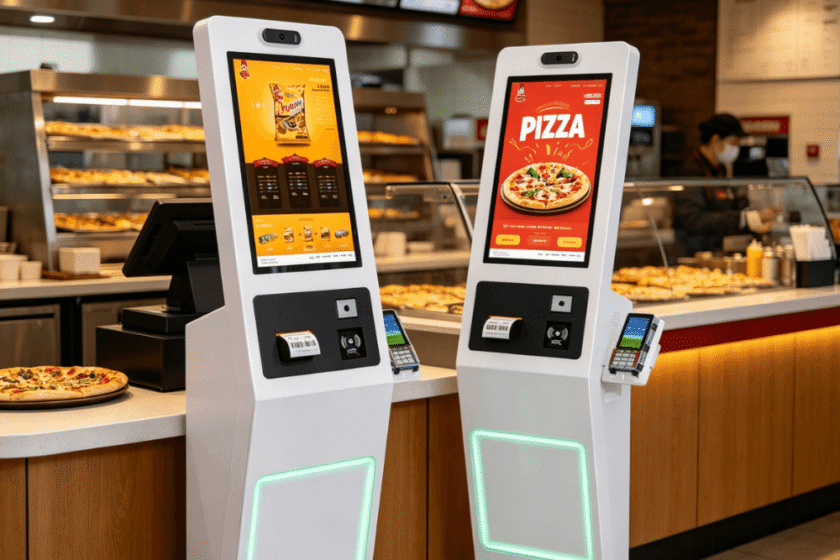
How a Self-Service Ordering Kiosk Optimizes Labor Costs
Labor remains one of the highest expenses for any hospitality business. A self-service ordering kiosk acts as a force multiplier for your existing team. One employee can oversee multiple kiosks, assisting guests only when necessary. This reduces the need for multiple cashiers during peak hours.
By shifting the ordering task to the customer, you can reallocate labor to the kitchen. This ensures that even with a high volume of orders, the back-of-house stays productive. Faster meal preparation directly correlates with shorter wait times for the patrons. Efficient labor management helps maintain profitability even as minimum wages rise globally.
Modern systems also simplify the training process for new hires. Since the kiosk handles the complex menu logic and pricing, staff training focuses on service quality. This reduces the “onboarding” time for front-of-house employees significantly. A streamlined operation is more resilient against the high turnover rates typical in the industry.
Key Features of Modern Self-Service Ordering Terminals
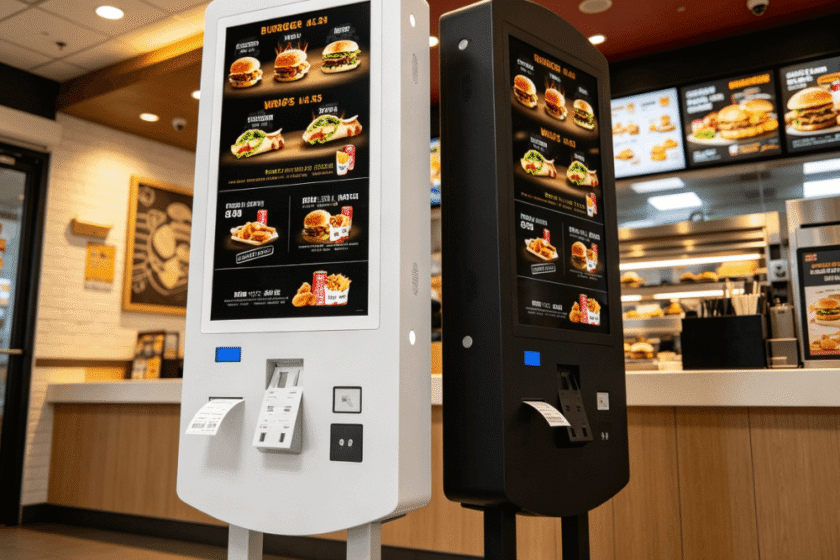
Today’s self-service ordering kiosk solutions are highly sophisticated hardware units. They typically feature high-definition touchscreens ranging from 21.5 to 32 inches. These screens provide vibrant displays for food photography, which serves as a powerful visual sales tool. Durable tempered glass ensures the units can withstand constant daily use.
Connectivity is another crucial feature of high-quality kiosks. Most units support Wi-Fi, Ethernet, and even 4G/5G modules for flexible placement. They integrate seamlessly with existing Point of Sale (POS) systems and kitchen printers. This ensures that orders go directly from the customer’s fingertip to the chef’s screen.
| Feature | Specification Detail | Business Value |
| Screen Size | 21.5″ / 27″ / 32″ | Enhances visual appeal of menu items |
| OS Support | Windows / Android | Compatibility with various software |
| Payment | IC/NFC Card Reader | Fast and secure cashless transactions |
| Installation | Floor-standing / Wall-mount | Fits different restaurant layouts |
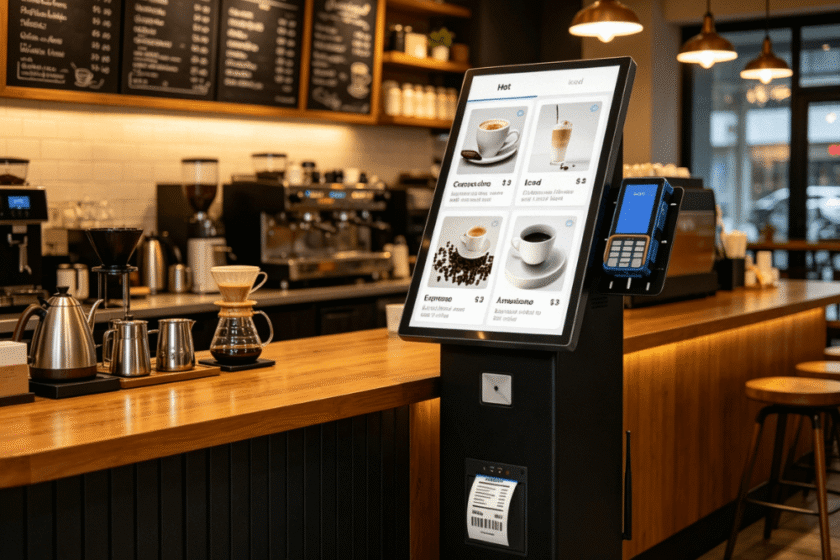
Payment flexibility is vital for converting sales at the kiosk. Most terminals come equipped with NFC readers for mobile wallets like Apple Pay. They also include thermal printers for instant receipt generation. Providing a secure and fast checkout process is essential for maintaining customer trust.
Improving the Guest Experience Through Digital Interaction
The modern consumer values speed and privacy during their dining experience. A self-service ordering kiosk eliminates the stress of standing in long queues. Customers can browse the full menu, check ingredient lists, and see calorie counts privately. This transparency builds a stronger relationship between the brand and the consumer.
Visual menus help overcome language barriers in diverse or tourist-heavy areas. High-quality images allow customers to see exactly what they are purchasing. This visual confirmation reduces anxiety and increases the likelihood of trying new menu items. A positive digital interaction often leads to repeat visits and brand loyalty.
Digital kiosks also enable better loyalty program integration. Customers can easily scan a QR code to earn points or redeem rewards during checkout. This data collection allows businesses to understand purchasing patterns more effectively. Personalized offers can then be displayed to returning customers on the kiosk screen.
Evaluating the Best Kiosk Solution for Your Venue
When deciding on a self-service ordering kiosk, you must consider your specific floor plan. Smaller venues may benefit from wall-mounted units to save precious floor space. Larger establishments often prefer floor-standing models to act as focal points for traffic flow. The hardware must be robust enough to handle high-traffic environments without frequent maintenance.
Integration capability is the most important technical factor for long-term success. The kiosk must communicate perfectly with your current kitchen display system (KDS). If the software is clunky or slow, the benefits of speed will be lost. You can find specialized hardware options at self-service ordering kiosk that offer versatile OS support, such as Windows or Android.
Maintenance and remote management features should also be prioritized. Business owners need to update menus or change prices across multiple locations simultaneously. High-quality kiosks allow for centralized management through cloud-based platforms. This ensures your branding and pricing remain consistent across all digital touchpoints.
Summary
Implementing a self-service ordering kiosk provides a strategic advantage by boosting revenue and cutting operational costs. These devices enhance order accuracy while allowing customers to enjoy a personalized, pressure-free dining experience. By choosing the right hardware and integration, businesses can ensure long-term growth and improved customer loyalty in a digital-first world.
FAQ
1. Can a self-service ordering kiosk integrate with my current POS?
Yes, most modern kiosks are designed to integrate with major POS systems via API or direct software compatibility.
This ensures that all transactions and inventory data remain synchronized in real-time across your entire business.
2. Do kiosks actually increase the speed of service?
Yes, kiosks increase speed by allowing multiple customers to order simultaneously without waiting for a cashier.
By automating the order entry, the kitchen receives instructions faster, which reduces the total turnaround time for each guest.
3. Are self-service kiosks difficult for elderly customers to use?
No, modern kiosk interfaces are designed with intuitive UI/UX principles that are easy to navigate for all ages.
Clear icons, large text, and step-by-step prompts ensure that even non-technical users can complete an order comfortably.
4. What happens if the kiosk hardware fails during a busy shift?
High-quality kiosks are built with industrial-grade components to minimize downtime.
Most systems also offer remote diagnostic tools, allowing technicians to fix software issues quickly without needing an on-site visit.
Reference Sources
National Restaurant Association – Technology and Innovation Trends