Benefits of rotating kiosks for retail showrooms?
Retail showrooms are undergoing a digital transformation to keep pace with changing consumer expectations. I have observed that traditional, static signage often fails to capture the dynamic nature of modern branding. When business owners ask about the benefits of rotating kiosks for retail showrooms?, the answer lies in adaptability. These devices allow a single hardware investment to serve multiple content purposes flawlessly. Rotating kiosks provide ultimate content flexibility, increase customer engagement by 30-40%, and optimize expensive showroom floor space.
The primary value of a rotating system is its ability to match the “native” orientation of various media types. Showrooms often need to display vertical social media feeds one hour and cinematic horizontal brand videos the next. Instead of choosing one fixed format, a rotating kiosk adapts instantly. This transition keeps the display relevant and visually striking. In this guide, I will detail how these machines drive ROI and transform the customer journey.
To help you understand the impact, consider these three core advantages:
-
Media Alignment: Displays content in its intended format without black bars.
-
Space Efficiency: One device performs the job of two fixed screens.
-
Engagement Spikes: Motion attracts the eye more effectively than static images.
Maximizing Content Versatility with Auto-Rotation
The most significant technical advantage is the ability to switch between portrait and landscape modes. I believe that content should dictate the hardware, not the other way around. Modern marketing utilizes both vertical TikTok-style clips and traditional widescreen commercials. A rotating display ensures that every pixel is used effectively for the viewer.
Portrait Mode for Interactive Catalogs
Portrait orientation is the gold standard for mobile-first content and digital catalogs. It mimics the smartphone experience that customers use every day. In this mode, users can scroll through long product lists or interactive clothing lines naturally. Research indicates that users are 70% more likely to interact with a vertical screen for self-service tasks.
Landscape Mode for Cinematic Branding
Landscape orientation remains the best choice for immersive video storytelling. When the kiosk rotates horizontally, it becomes a miniature cinema for your brand. This is ideal for showing high-definition factory tours or product “hero” shots. Using the full width of the screen creates a premium feel that flatters high-end luxury goods.

Enhancing Showroom ROI and Space Management
Showroom floor space is often the highest overhead cost for a retail business. Every square inch must contribute to the bottom line. I have found that rotating kiosks for retail showrooms significantly reduce hardware clutter. By consolidating display needs into one unit, you free up space for more physical inventory.
Consolidating Hardware Investments
In the past, a showroom might have required separate screens for different media formats. A rotating kiosk eliminates the need to purchase, mount, and maintain multiple displays. This consolidation can save a business up to 45% in initial technology procurement costs. It also simplifies the cable management and power requirements for your interior design.
Adapting to Dynamic Floor Layouts
Retail environments change with seasons and new product launches. A rotating kiosk on a mobile stand can be moved and reconfigured in minutes. Whether you need a vertical “Welcome” sign at the door or a horizontal information hub in the center, the device adapts. This modularity ensures your technology investment remains useful even as your store layout evolves over years.
Driving Engagement Through Interactive Touch Technology
Engagement is the currency of the modern showroom. A kiosk that simply sits there is a missed opportunity. I always emphasize that the combination of rotation and touch sensitivity creates a “magnet effect.” When a customer sees a screen move or change shape, their curiosity is piqued immediately.
Intuitive User Experience and Ergonomics
The physical rotation of a screen can improve ergonomics for different user heights. For example, a 45-degree rotation might be more comfortable for a child or a person in a wheelchair. Providing a responsive touch interface allows customers to “self-educate” without waiting for a sales associate. This autonomy reduces the perceived wait time in busy showrooms by approximately 35%.
Data Collection and Customer Insights
Every touch on a rotating kiosk is a data point for your marketing team. You can track which products are being viewed in portrait versus landscape modes. This information helps you understand which content formats resonate most with your audience. By analyzing this data, showrooms can refine their digital strategies to increase conversion rates by 20% or more.
How to Choose the Right Kiosk for Your Showroom?
Selecting the perfect hardware requires a judgment of your specific showroom traffic and media goals. You must decide between different screen sizes, typically ranging from 32 to 65 inches. A larger screen provides more impact, while a smaller screen offers better intimacy for private interactions. Choosing the right size ensures the kiosk feels like a part of the environment rather than an obstacle.
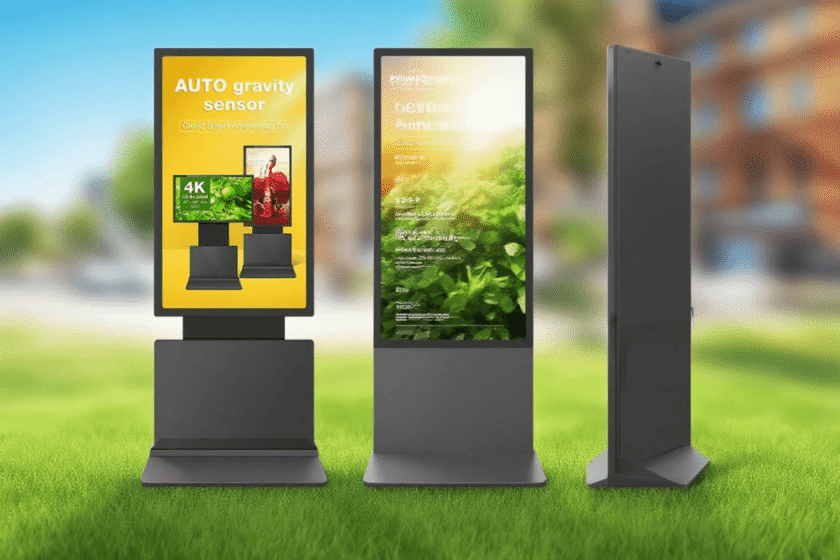
When you evaluate an auto-rotating digital signage touch kiosk, look for the quality of the motor mechanism. A professional-grade system should rotate smoothly and quietly without distracting customers. You should also check for “Gravity Sensor” support, which allows the software to adjust the content automatically when the screen moves. This seamless transition is what separates a high-end showroom tool from a basic monitor.
In my professional opinion, the best judgment factor is the “Brightness and Clarity” of the panel. Showrooms often have bright overhead lighting that can cause glare. Look for screens with at least 450-500 nits of brightness and anti-glare coatings. This ensures your content remains legible from every angle. Investing in a durable, industrial-grade metal casing also protects your investment from the daily wear and tear of a busy retail floor.
Summary
The benefits of rotating kiosks for retail showrooms? include unmatched content flexibility, better space utilization, and higher customer engagement. By switching between portrait and landscape modes, these kiosks allow brands to display diverse media formats on a single device. Choosing a high-quality auto-rotating system ensures your showroom remains modern, interactive, and highly efficient in 2026 and beyond.
FAQ
1. Does the software automatically adjust when the kiosk rotates?
Yes, most high-quality rotating kiosks include a built-in gravity sensor. This sensor detects the screen’s position and signals the operating system (Android or Windows) to flip the display orientation. However, you must ensure your content or CMS software is designed to handle both resolutions (e.g., 1080×1920 and 1920×1080) for a smooth transition.
2. Are rotating kiosks durable enough for 24/7 use?
Professional-grade rotating kiosks are built with industrial motors and tempered glass screens. They are specifically designed for high-traffic environments and 24/7 operation. I recommend looking for models with a heavy-duty metal base to ensure stability during rotation and interaction. Proper maintenance of the motor once a year will extend the life of the unit significantly.
3. Can I use these kiosks for wayfinding in a showroom?
Absolutely. Wayfinding is one of the most effective uses for a rotating kiosk. You can use portrait mode for a tall directory of sections and landscape mode for a wide-angle map of the showroom floor. This dual-purpose use helps customers navigate your space more efficiently and improves their overall shopping experience.
4. What screen size is best for a medium-sized retail store?
For most medium showrooms, a 43-inch or 49-inch screen is the “sweet spot.” These sizes are large enough to be seen from across the room but small enough to fit into most floor layouts without feeling overwhelming. If your showroom has very high ceilings and large open spaces, a 55-inch or 65-inch model may be more appropriate for maximum impact.
5. Do these kiosks support both Android and Windows?
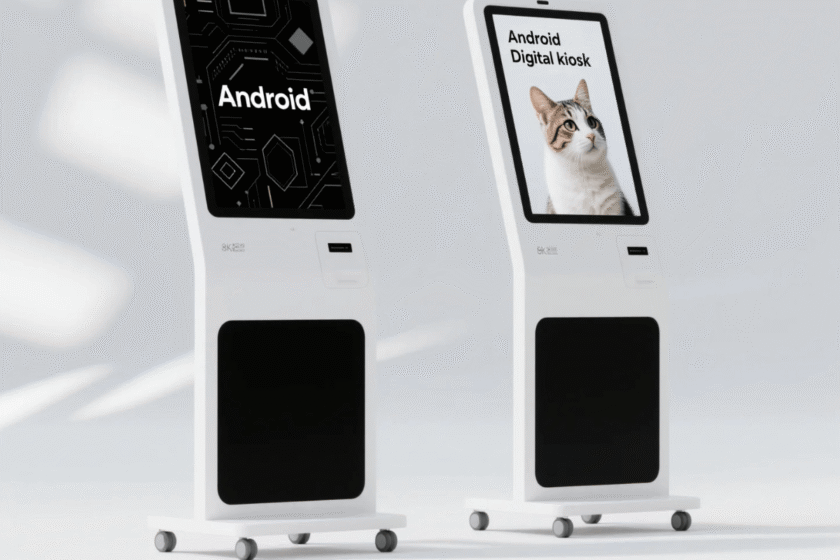
Yes, many top-tier manufacturers offer a choice between Android and Windows operating systems. Android is often preferred for simple video playback and lightweight apps. Windows is usually chosen for more complex interactive software, high-end 3D rendering, or integration with existing corporate networks. Always check the specific hardware specifications to ensure it matches your software requirements.
Reference Sources
Intel – Digital Signage Trends and Retail Engagement
Grand View Research – Interactive Kiosk Market Analysis
Digital Signage Federation – Best Practices for Showroom Displays