How to Choose Commercial Digital Signage Displays ?
Choosing the right technology for your business environment can be overwhelming. I have spent years helping companies integrate visual communication tools. I often see businesses make the mistake of using consumer-grade screens for professional needs.
However, commercial digital signage displays are engineered for much higher performance levels. They must withstand long operating hours and diverse lighting conditions. If you want to engage your customers effectively, you need reliable hardware.
This guide focuses on one core question: How do you identify and select the best commercial digital signage displays for your specific business goals? Understanding the technical requirements will help you avoid costly replacements later.
What defines modern digital signage displays?
In my professional experience, digital signage displays serve as the bridge between your brand and your audience. According to industry definitions, these are sub-segments of electronic signage. They use technologies like LCD, LED, or projection to display content.
Unlike standard televisions, these units are built for high-traffic areas. They offer features like specialized cooling systems and reinforced glass. You will typically find them in retail stores, hotels, and corporate offices.
The primary goal of these systems is to deliver targeted messages in real-time. This flexibility allows businesses to change advertisements or information instantly. Reliability remains the most important factor when choosing your hardware.
Key features of commercial digital signage displays
When I evaluate professional screens, I look beyond the screen size. Commercial digital signage displays must offer 24/7 or 16/7 operation capabilities. Consumer screens usually fail when left on for more than eight hours.
Commercial units utilize industrial-grade power supplies to handle continuous use. They also feature advanced thermal management to prevent overheating. This ensures the internal components do not degrade under constant stress.
Another critical difference is the warranty coverage. Most manufacturers offer onsite service for commercial models. This support is vital for maintaining business continuity. Investing in professional-grade hardware reduces your long-term maintenance costs.
High brightness and durability
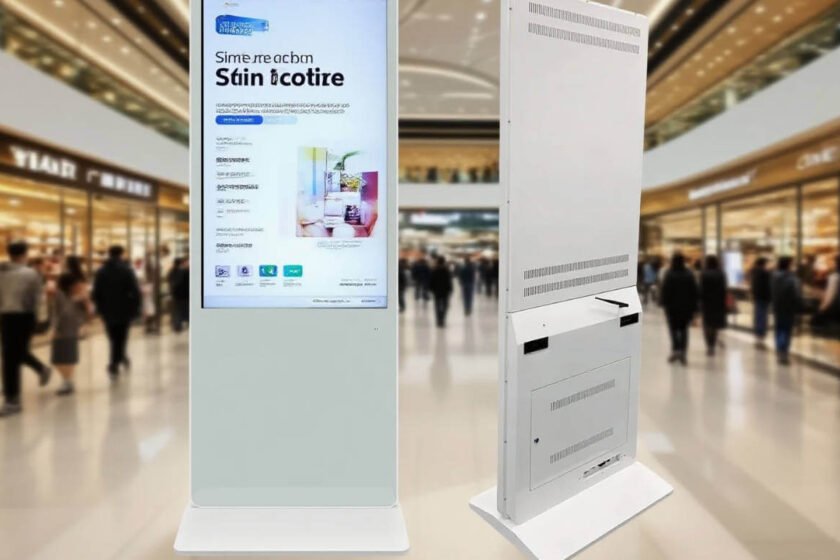
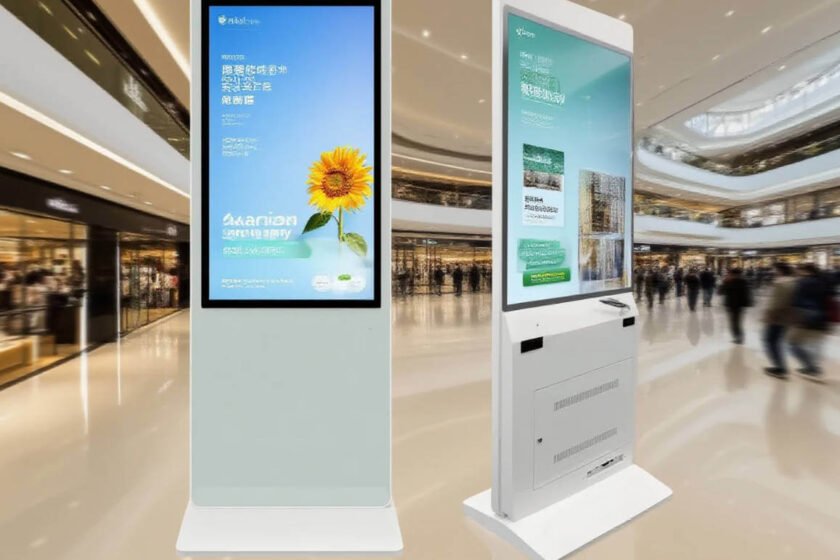
Visibility is a major challenge in indoor environments with many windows. Professional digital signage displays offer much higher “nit” levels than home TVs. A typical commercial unit provides 350 to 700 nits of brightness.
This high output ensures your content remains visible under bright overhead lights. Furthermore, the screens often feature anti-glare coatings. These coatings reduce reflections that might distract your customers.
Durability also applies to the exterior casing of the device. Many commercial models use metal frames rather than plastic. This protection is necessary for public spaces where accidental impacts might occur. High-brightness screens ensure your message is seen clearly from a distance.
Integrated content management and connectivity
Modern professional displays often include a built-in System on Chip (SoC). This allows you to play content without an external media player. It simplifies the installation process and reduces the number of failure points.
You should also look for displays that offer diverse connectivity options. HDMI, DisplayPort, and LAN ports are standard requirements. These connections allow for remote management across your entire network.
Connectivity is essential for updating content across multiple locations simultaneously. In my view, a display is only as good as its management software. Integrated hardware simplifies your digital signage network architecture.
Selecting the best commercial digital signage displays for indoor use
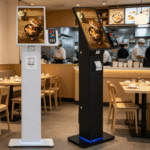
Indoor environments present unique challenges for visual communication. You must consider the viewing distance of your audience. For example, a floor-standing unit works best for close-up interactions in a lobby.
If your goal is wayfinding, touch-screen functionality is often a requirement. This interactive element keeps users engaged with your brand longer. Indoor digital signage should blend seamlessly with your interior design.
Mobile designs are becoming increasingly popular for temporary exhibits or events. A display with wheels allows you to reposition your message as foot traffic changes. This versatility makes your investment more valuable over time.
How to judge the right indoor display for your needs
When you are ready to select a specific model, focus on the operating system compatibility. Most businesses prefer units that support both Android and Windows environments. This flexibility allows you to use your preferred content software.
Look for features like a “plug and play” USB interface for quick updates. It is also wise to check if the unit includes a mobile base design. A mobile base allows for easy relocation within a retail space or gallery.
If you are looking for specific high-performance options, explore professional indoor solutions. You can find a wide range of indoor digital signage hardware designed for professional environments. For a versatile all-in-one solution, the 32-inch floor-standing touch display offers excellent compatibility and mobility. These features ensure your hardware remains useful as your business grows.

Summary
Choosing the right commercial digital signage displays requires balancing brightness, durability, and software compatibility. Professional hardware offers the 24/7 reliability that consumer screens lack. By focusing on industrial-grade components and integrated management tools, you ensure a high ROI. Prioritize professional-grade features to guarantee long-term performance and visibility.
FAQ
1.What is the main difference between commercial and consumer displays?
Commercial displays are designed for 16/7 or 24/7 use and feature higher brightness. Consumer TVs are only built for a few hours of use per day.
2.Can commercial digital signage displays work without an external PC?
Yes, many modern units include an integrated System on Chip (SoC) for content playback. This allows the screen to run software directly.
3.Do I need a high-brightness screen for an indoor hallway?
Usually, 350 to 500 nits are sufficient for standard indoor hallways. If the hallway has large windows, you may need 700 nits or more.
4.Is touch-screen functionality necessary for all digital signage?
No, it depends on your goals. Touch-screens are best for wayfinding and interactive catalogs, while non-touch is better for passive advertising.
5.What operating systems do commercial displays typically support?
Most professional units are compatible with Android or Windows. Some also offer proprietary operating systems designed for signage management.
Reference Sources
Wikipedia: Digital Signage Overview
AVIXA: International Standards for Audiovisual Systems
Energy Star: Energy Efficiency Requirements for Commercial Displays