Benefits of a Circular Touch Table Interactive
In my years as an audiovisual consultant, I have seen many companies struggle with attendee engagement. Traditional rectangular screens often create a physical barrier between the brand and the visitor. I believe a circular touch table interactive setup solves this by fostering a non-hierarchical environment. It allows people to gather 360 degrees around the content, encouraging natural conversation. If you are planning to use a circular touch table for exhibition displays, the focus must be on multi-user collaboration. This guide explains how to leverage circular design to maximize your return on engagement. By the end, you will know exactly what technical features drive the best interactive results.
Why a Circular Touch Table Interactive Improves Engagement
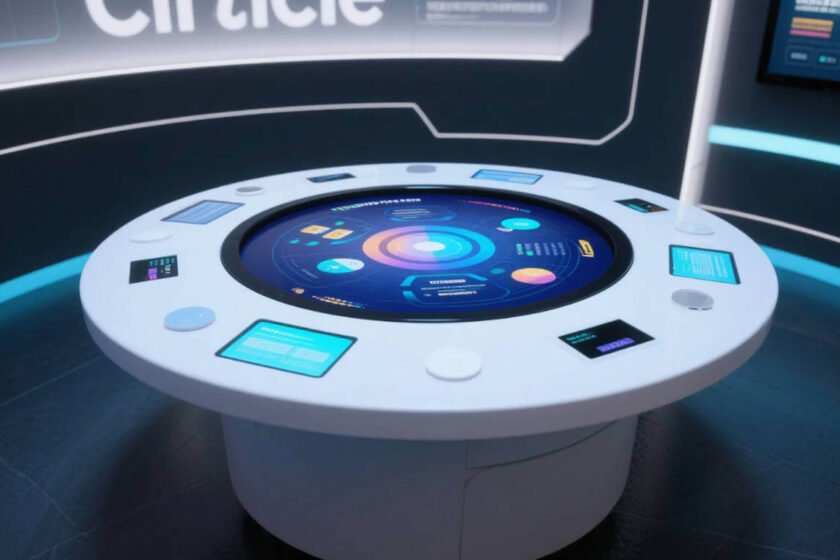
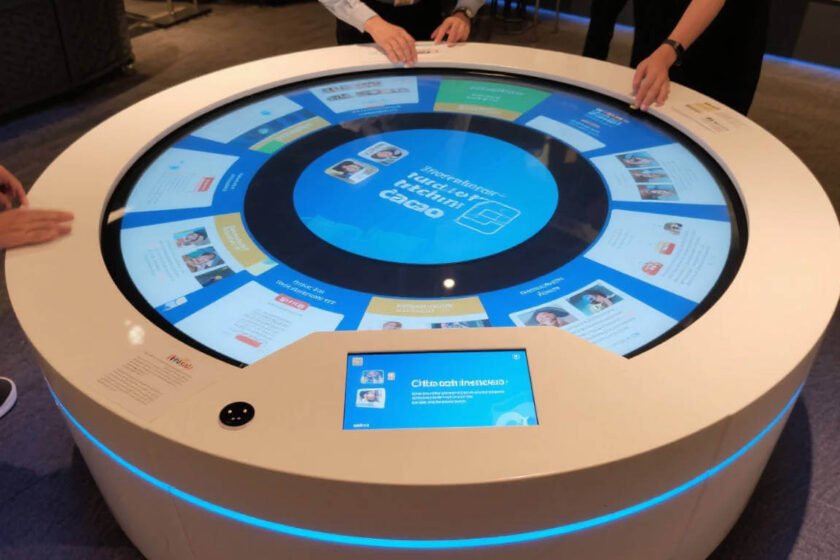
A circular touch table interactive unit breaks the traditional “front-facing” presentation model. In public spaces, people are often hesitant to approach a screen if someone else is using it. The circular shape provides multiple entry points for interaction. It signals to passersby that the space is shared and communal. Collaborative interaction is the primary reason why circular designs outperform flat wall displays in foot traffic areas.
Promoting 360-Degree Collaborative Interaction
Circular designs allow users to face each other while interacting with the digital content. This setup mirrors a campfire or a round meeting table. It facilitates group decision-making and social learning. Multi-touch technology is essential here to support at least 10 to 40 simultaneous touch points. Without high-performance touch sensors, the collaborative experience will feel laggy or broken.
Eliminating the “Front-Row” Bias
In a standard display, content has a clear top and bottom orientation. A circular touch table interactive often uses software that rotates content toward the user. This means there is no “wrong side” to stand on. Every person around the table has an equal view and equal control. This ergonomic advantage is backed by human-system interaction standards for accessibility.
Enhancing Visual Flow in Open Spaces
Rectangular kiosks can look bulky and disrupt the flow of a modern lobby. A circular table feels more like a piece of furniture. It integrates into the architecture of a room rather than clashing with it. The aesthetic appeal of a circular touch table interactive often leads to higher dwell times. People feel more comfortable standing around a curved surface for extended periods.
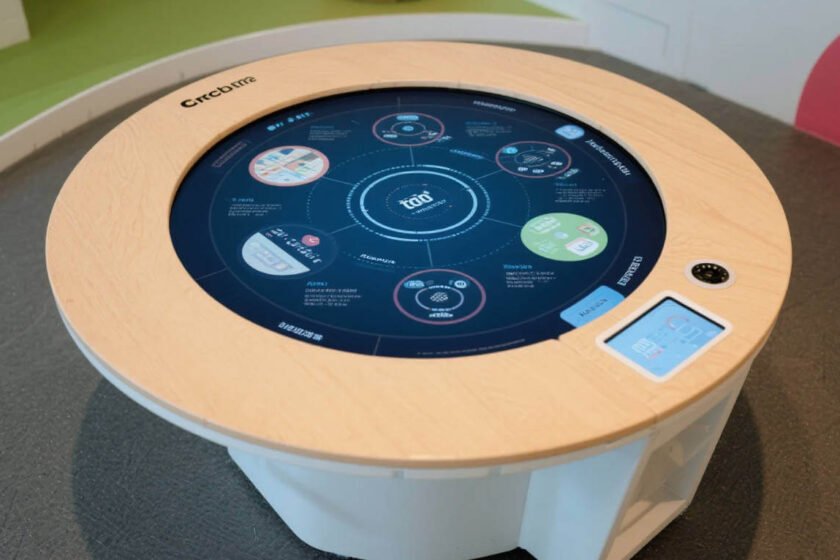
Choosing a Circular Touch Table for Exhibition Environments
Selecting a circular touch table for exhibition use requires a focus on durability and portability. Trade shows are high-traffic environments where hardware faces constant physical contact. You need a solution that can withstand spills, heavy leaning, and frequent transport. Stability and industrial-grade construction are the most critical factors for event-based interactive hardware.
Prioritizing Durability and Surface Protection
Exhibition floors are unpredictable. People may place drinks on the table or lean heavily on the glass. I always recommend an IP65 waterproof rating for the surface. Tempered glass with a high Mohs hardness rating prevents scratches from jewelry or watches. A circular touch table for exhibition success must feature a spill-proof and scratch-resistant top.
Managing Portability and Rapid Deployment
Large interactive furniture can be difficult to move between event halls. Look for designs with modular components or integrated flight cases. A circular touch table for exhibition use should be “plug-and-play.” This reduces the time your team spends on technical setup. High-quality tables often feature hidden cable management to keep the appearance clean and professional.
Optimizing Screen Brightness for Event Lighting
Exhibition centers often have harsh, overhead fluorescent lighting. This can cause significant glare on a horizontal touch surface. I suggest choosing a high-brightness panel with an anti-glare coating. This ensures the content remains visible even under direct spotlights. Visibility is a non-negotiable requirement for any circular touch table interactive used in bright public halls.
Technical Specifications of High-Quality Interactive Surfaces
The internal hardware determines whether your circular touch table interactive is a success or a failure. Most users have high expectations based on their experience with modern smartphones. If the table feels slow or unresponsive, they will walk away. PCAP (Projected Capacitive) touch technology is the industry standard for professional interactive tables.
PCAP vs Infrared Touch Technology
PCAP technology allows for a completely flat, edge-to-edge glass surface. It is highly accurate and supports sleek, modern designs. Infrared (IR) technology requires a raised bezel around the screen to house the sensors. For a circular touch table interactive, a bezel-free PCAP surface is much more intuitive for users. It prevents dust and debris from collecting in the corners of the frame.
Software Compatibility and Content Management
Your hardware is only as good as the software running on it. Most professional tables support Windows, Android, or Linux operating systems. When using a circular touch table for exhibition tasks, ensure the software supports multi-user gestures. This includes features like object recognition or “throwable” content. Customizable software interfaces are vital for matching the table’s function to your specific brand goals.
Heat Dissipation and Silent Cooling
Horizontal displays trap heat more easily than vertical ones. High-performance PCs inside the table generate significant warmth. A well-engineered circular touch table interactive uses silent cooling systems. This prevents the surface from becoming uncomfortably hot to the touch. It also ensures the internal electronics do not throttle under heavy usage.
How to Judge the Suitability of Interactive Hardware
When you are ready to invest, you must evaluate if the table meets your specific environment’s needs. Start by checking the ingress protection (IP) rating. If the table will be near food or drinks, IP65 is the minimum standard. You should also look for customization options in size and height. A table that is too high or too low will discourage users from interacting.
Consider whether the manufacturer offers industrial-grade components. Consumer-grade screens are not designed for 24/7 operation in public spaces. I recommend exploring interactive touch table categories to see the variety of available designs. For those needing specific environmental protection, look for a smart interactive touch table with IP65 waterproofing. These technical standards ensure your investment survives the rigors of public use.
Summary
A circular touch table interactive is a powerful tool for group engagement and social interaction. By choosing a circular touch table for exhibition use that prioritizes durability and PCAP technology, you create a standout experience. Remember to focus on 360-degree accessibility and industrial-grade protection to ensure long-term success.
FAQ
1. What touch technology is best for a circular touch table interactive?
PCAP (Projected Capacitive) is the best choice because it offers a flat, bezel-free surface. It provides the same high-sensitivity experience as a smartphone or tablet.
2. Can a circular touch table for exhibition use handle multiple people?
Yes, high-quality interactive tables support 10 to 40 simultaneous touch points. This allows several users to interact with different content at the same time.
3. Is the glass on an interactive table easy to break?
No, professional tables use thick tempered glass. This glass is designed to withstand heavy pressure, impacts, and scratches in public environments.
4. Does a circular touch table interactive require special software?
The table acts like a giant touch monitor and can run standard OS software. However, specialized multi-user software is recommended to take advantage of the 360-degree shape.
5. How do you clean a circular touch table for exhibition use?
Since most professional tables are waterproof (IP65), you can use standard glass cleaners. Always use a microfiber cloth to avoid leaving lint or minor surface abrasions.
Reference Sources
Wikipedia – Multi-touch Technology and Gestural Interfaces
Britannica – Liquid Crystal Display (LCD) and Interactive Surfaces
AVIXA – Audiovisual and Integrated Experience Association Performance Standards