How Does an Interactive Touch Screen Table Revolutionize Digital Signage?
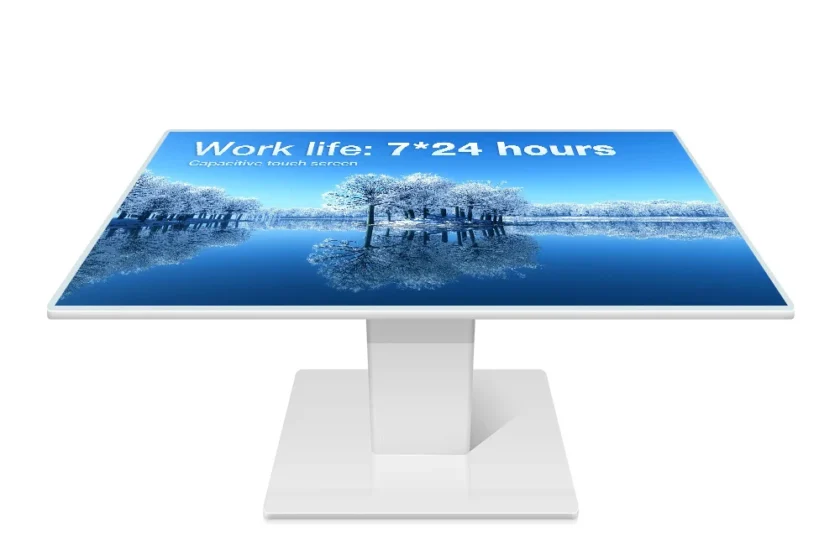
In the rapidly evolving landscape of customer engagement, traditional static digital signage is increasingly being overshadowed by immersive, tactile experiences. This shift has placed the interactive touch screen table at the forefront of modern communication and commerce. No longer a mere display surface, this technology integrates robust computing power with a large, multi-touch interface, transforming passive viewing into active, collaborative participation. For professionals in the digital signage industry, understanding the strategic implementation and core specifications of an interactive touch screen table is essential for creating truly memorable and profitable user journeys. The key question for many business leaders remains: How does an interactive touch screen table truly revolutionize the way we approach digital signage? This article will delve deeply into the transformative power of this specialized hardware, emphasizing its application in retail, corporate environments, and public spaces to deliver measurable value.
The Paradigm Shift: From Display to Collaborative Hub
The fundamental difference between a standard digital screen and an interactive touch screen table lies in its posture and multi-user capability. Traditional signage, typically wall-mounted or kiosk-based, forces a one-way communication channel—the user observes the content. Conversely, the table format invites users to gather around, naturally fostering collaboration and shared discovery. This communal orientation is particularly powerful in digital signage, where the goal is often to provide detailed product information, complex data visualization, or interactive wayfinding for groups.
This shift creates a high-impact, high-dwell-time experience. In retail, customers can explore entire digital product catalogs together, zooming and comparing items with shared gestures. In corporate settings, design teams can jointly annotate and manipulate 3D models during a meeting, with the table acting as a dynamic, shared canvas. Consequently, the adoption of the interactive touch screen table marks a significant strategic pivot from broadcast communication to personalized, small-group interaction.
Essential Technical Factors for Strategic Selection
Selecting the correct interactive touch screen table is a highly technical decision, particularly when targeting demanding digital signage applications. The hardware must be robust, reliable, and perfectly matched to the intended usage environment. Therefore, a deep dive into specific technical features is warranted.
Display Quality and Durability
The display resolution and brightness are paramount, as the table is often utilized in well-lit public environments. Ultra-High Definition (4K) resolution is rapidly becoming the industry standard to ensure crisp, clear images, especially for detailed content like architectural blueprints or high-resolution product photography. Furthermore, since the table surface functions as the primary interface, its durability is critical. The best commercial-grade interactive touch screen table is engineered with tempered, often chemically strengthened glass, which provides superior resistance to scratches, impacts, and daily wear and tear. This level of robustness guarantees longevity and reliability in high-traffic areas like lobbies and museums.
Multi-Touch and Object Recognition Capabilities
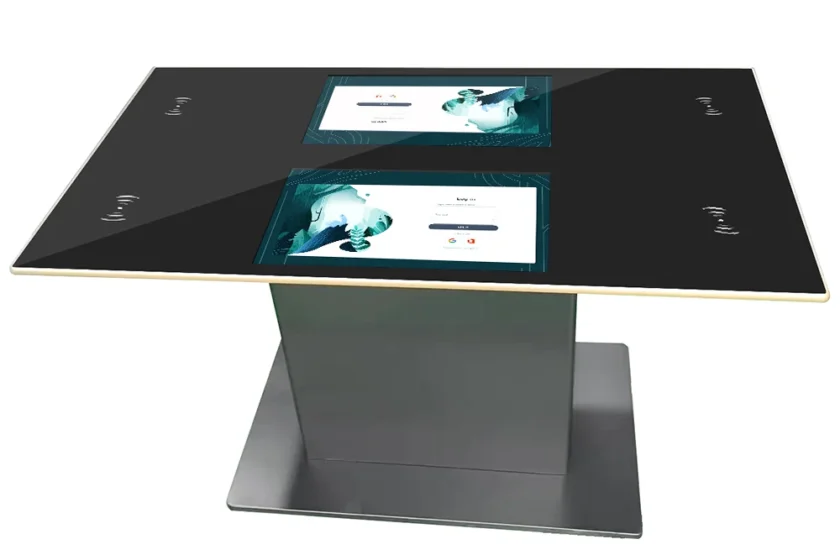
A critical feature that elevates the functionality beyond a simple large tablet is its multi-touch capability. High-end tables support 50 or more simultaneous touch points, allowing multiple users to interact fluidly without interference. This is vital for collaborative games, large-scale mapping, or multi-person brainstorming sessions. Moreover, advanced models are increasingly incorporating object recognition technology. This feature allows the table to identify specific physical items (e.g., product samples or branded tags) placed on its surface, instantly triggering corresponding digital content. This unique blend of physical and digital interaction drastically enhances product showcasing in a retail environment.
Processing Power and Operating System
The underlying computing engine must be powerful enough to handle sophisticated, high-resolution multimedia content and demanding software applications without lag. An industrial-grade interactive touch screen table typically houses a high-performance integrated PC, often based on Intel Core i5 or i7 processors, ensuring smooth animation, fast loading times, and reliable 24/7 operation. The choice of operating system (Windows, Android, or Linux) depends heavily on the content management system (CMS) and the specific applications intended for deployment. Windows is often preferred for corporate settings requiring complex software integration, while Android is frequently utilized for simpler, dedicated kiosk-style apps.
Applications Across the Digital Signage Spectrum
The flexibility of the interactive touch screen table allows it to adapt to diverse sectors, each benefiting from its capacity to facilitate deep engagement.
Retail and Showroom Environments
In a modern retail space, the table transcends the role of an information screen; it becomes an immersive virtual assistant. Customers can configure complex, customizable products, such as automobiles or furniture, in real time. They can also access customer reviews, inventory levels, and technical specifications that would be impractical to display physically. This level of granular, self-service information drastically improves the shopping experience and empowers consumers, consequently increasing conversion rates.
Corporate Collaboration and Huddle Spaces
Modern meeting rooms are being redesigned around collaborative technology, and the interactive touch screen table serves as the central focal point in “huddle spaces.” It facilitates simultaneous document sharing, complex data analysis, and multi-team digital brainstorming. The large horizontal display surface makes it perfectly suited for viewing large spreadsheets, timelines, or engineering diagrams, allowing everyone around the table to contribute equally. Furthermore, its ability to integrate seamlessly with external devices ensures effortless transitions between personal and shared work.
Public Information and Hospitality
In museums, hotels, and airport lounges, the interactive touch screen table excels as a wayfinding kiosk, concierge service, or educational platform. Museums use them to present interactive exhibits that allow visitors to explore historical artifacts or scientific principles at their own pace. Hotels deploy them for instant, multilingual concierge services, booking tours, or displaying local attraction maps. In every instance, the horizontal, inviting form factor encourages public interaction, providing a high-value service that significantly enhances the visitor experience.
Navigating the Choice: From Concept to Deployment
Choosing the optimal interactive touch screen table requires a comprehensive strategy that prioritizes the user experience and long-term operational viability.
Content Strategy First
Before committing to hardware, the content strategy must be fully defined. The success of the table hinges entirely on the quality and interactivity of the software applications used. The choice of screen size, orientation, and multi-touch capacity should directly support the intended software—a complex 3D rendering application requires superior processing power and touch accuracy than a simple digital catalog.
Assessing Environmental Requirements
The physical environment dictates several key hardware decisions. For public spaces where spills are possible, water-resistant or waterproof casing and display coating are non-negotiable. For semi-outdoor locations, higher brightness (nits) and anti-glare coatings are essential to combat ambient light. Consideration must also be given to the physical design, such as ergonomic height and secure, tamper-proof casing, ensuring the table not only looks elegant but also withstands intensive public use.
Total Cost of Ownership and Maintenance
The initial purchase price of an interactive touch screen table is only one part of the investment. The total cost of ownership (TCO) must also factor in the cost of content creation, software licensing, and, crucially, long-term maintenance. Look for vendors who offer industrial-grade components designed for 24/7 operation and provide comprehensive remote diagnostic and support services. This minimizes unexpected downtime, which is the most expensive variable in any digital signage deployment.
Ultimately, the successful implementation of an interactive touch screen table is a marriage of superior hardware and compelling content. By focusing on durability, advanced multi-touch capability, and fitting the specifications directly to the operational environment, digital signage professionals can leverage this technology to create engaging, collaborative, and revenue-generating customer experiences that far surpass the capabilities of traditional displays.
Frequently Asked Questions (FAQ)
Q1:What is the typical screen size range for an interactive touch screen table?
Interactive touch screen table models generally range from 32 inches up to 86 inches or more. The most common commercial sizes for collaborative use are between 43 and 65 inches, as this range offers the best balance of display area and ergonomic access for multiple users seated around the table.
Q2:What is PCAP touch technology, and why is it preferred for these tables?
PCAP stands for Projected Capacitive touch. It is the same technology used in modern smartphones and is highly preferred for the interactive touch screen table because it offers exceptional precision, high sensitivity, and supports true multi-touch gestures (many simultaneous touch points), all through a durable, protective glass layer.
Q3:Can the content on the interactive touch screen table be updated remotely?
Yes. Nearly all commercial-grade interactive touch screen table solutions are equipped with network connectivity (Wi-Fi, Ethernet) and utilize a Content Management System (CMS) that allows managers to update, schedule, and monitor the content remotely from a central location.